What is OpenBullet?
OpenBullet is a versatile tool designed for automation, testing HTTP requests, scraping data, and creating workflows for a variety of online tasks. When paired with Oculus Proxies, OpenBullet ensures anonymity and secure connections, making it an ideal solution for efficient and undetectable operations.How to Integrate Oculus Proxies With OpenBullet
1
Download and Install OpenBullet
1. Visit the official OpenBullet GitHub page.2. Download the latest version of the application.3. Extract the downloaded file and launch the software on your system.4. Follow the installation instructions to complete the setup.
2
Create a New Proxy Group
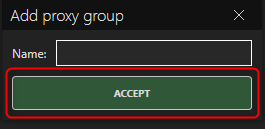
1. On the OpenBullet dashboard, go to the Proxies tab.2. Click Add Group to create a new proxy group.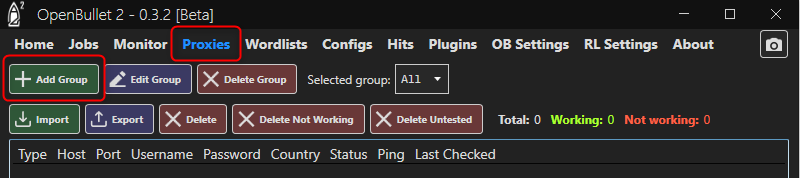
3
Import Oculus Proxy Details
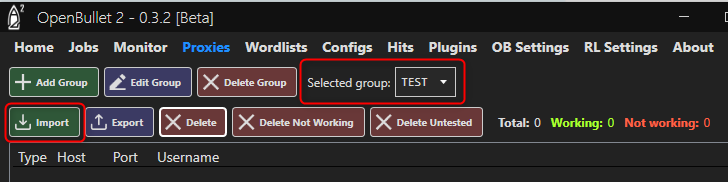
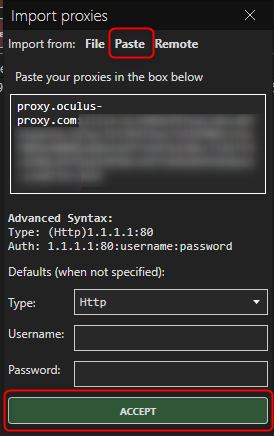
1. Choose the group you just created from the list of proxy groups.2. Click on Import to bring up the proxy input menu.